

Summary
Accidentally deleting photos from your phone can be distressing, but there are several methods to recover them. This guide covers how to recover deleted photo from phone, including checking internal storage, using third-party apps, and restoring from cloud services like Google Photos and iCloud. It also discusses data recovery methods for SD cards and offers tips to prevent future data loss. Whether you’re using an Android or iPhone, these steps can help you reclaim your cherished memories.
Table of Contents
Understanding Your Phone’s Storage
Before attempting to recover deleted photo from phone, it’s essential to identify the storage type used on your Android phone. Photos can be stored in internal storage, which is the device’s built-in memory, or on an external SD card. Some users also utilize cloud services like Google Photos or iCloud, which store images on remote servers accessible via the internet. Knowing where your photos were stored determines the approach for recovering deleted photos.
Recovering Photos from Internal Storage
If your photos were stored in the phone’s internal storage, start by checking the “Recently Deleted” or “Trash” folder in your Gallery or Photos app. Many Android devices temporarily store deleted files here for a limited period, allowing you to restore them to their original location. For example, on some devices, you can open the Gallery app, access the Trash folder, select the photos you want to recover, and tap the restore option. Regularly backing up your photos to cloud services can prevent permanent loss.
Using Third-Party Apps for Recovery
If the photos are not in the Trash folder, consider using third-party apps designed for photo recovery. Apps like DiskDigger, Recuva, and Tenorshare UltData can scan your device’s storage to retrieve deleted photos. These apps are user-friendly and often do not require rooting your device. After installing the app, follow the on-screen instructions to scan for and recover your lost images.
Recovering Photos from Cloud Storage
Cloud services often have their own Trash or Recently Deleted folders. For instance, Google Photos retains deleted items for 30 days, while iCloud keeps them for 30 days as well. To recover photos:
- Google Photos: Open the app, tap the Library icon, select Trash, choose the photos, and tap Restore.
- iCloud: Go to iCloud.com, sign in, navigate to Photos > Recently Deleted, select the images, and click Recover.
These methods allow you to restore lost pictures without additional software.

Recovering Photos from an SD Card
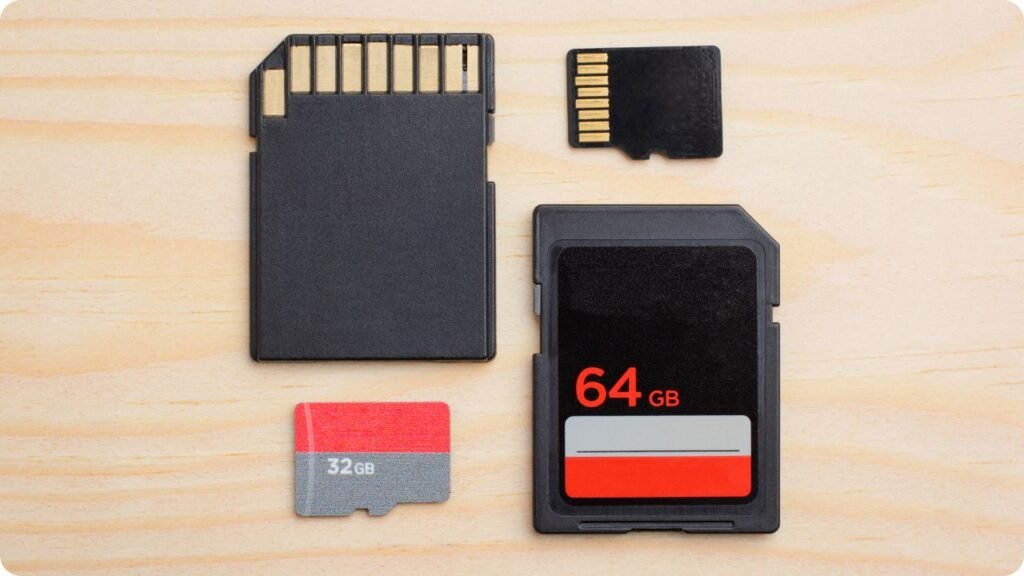
If your photos were stored on an SD card, you could use data recovery tools to retrieve them. Remove the SD card from your phone and connect it to a computer using a card reader. Software like Tenorshare UltData or Recuva can scan the card for deleted files. Follow these steps:
- Install the recovery software on your computer.
- Connect the SD card via a card reader.
- Launch the software and select the SD card for scanning.
- Preview the found photos and select the ones to recover.
- Save the recovered photos to your computer.
Acting promptly increases the chances of successful recovery.
Preventing Future Photo Loss
To avoid losing photos in the future:
- Regular Backups: Enable automatic backups to cloud services like Google Photos or iCloud.
- Use an SD Card: Store photos on an SD card to separate them from the device’s internal storage.
- Be Cautious: Double-check before deleting photos and regularly review the Trash folder to ensure important images aren’t permanently removed.
Taking these precautions can safeguard your cherished memories.

Conclusion
Accidentally deleting photos doesn’t mean they’re lost forever. By understanding your phone’s storage, utilizing built-in features, and employing data recovery methods, you can recover deleted photos from your phone. Whether it’s through cloud services, third-party apps, or SD card recovery, acting quickly and following the appropriate steps can help restore your valuable images. Regular backups and cautious deletion practices further ensure your memories remain safe.
Frequently Asked Questions
Can I recover permanently deleted photos from my phone?
If the photos have been permanently deleted and are not in the Trash or Recently Deleted folders, recovery is still possible using data recovery software. However, the success rate depends on how much new data has been written to the storage since deletion.
How long do deleted photos stay in the Trash folder?
Typically, deleted photos remain in the Trash or Recently Deleted folders for 30 days. After this period, they are permanently removed.
Do I need to root my Android device to recover deleted photos?
Many photo recovery apps do not require rooting. However, some advanced recovery methods may need root access to scan deeper into the device’s storage.
Can I recover photos after a factory reset?
Recovering photos after a factory reset is challenging, especially without a backup. Some data recovery tools claim to retrieve data post-reset, but success is not guaranteed.
What’s the best way to prevent photo loss?
Regularly back up your photos to cloud services, use an SD card for storage, and be cautious when deleting images. These practices help ensure your photos are safe and recoverable.